I've not done a huge amount with the Humbug UI for a while, but some suggestions and contributions from Tharik Ammanullah have got me going back to this!
Enable fixed-width terminals
One interesting set of changes is to improve terminals. These now support having a fixed width (configurable) rather than always auto-resizing. As this added horizontal scrolling I've now implemented scroll-wheel scrolling and also selection scrolling in the terminal too.
All tabs (except editors) also now centre their content. This makes them more readable, especially on wide screen displays.
Rethinking tabs
Humbug inherited some IDE-centric layout. That was fine, but never really captured what I wanted.
The new update has a concept of tabs having a "natural" width. Tab columns cluster together in the middle, keeping your visual focus in one place for most activities. Lots of things now become natural drop targets (for drag and drop) and suddenly many column operations become much easier.
For example you can now drop a file into a spacer either side of the current columns!
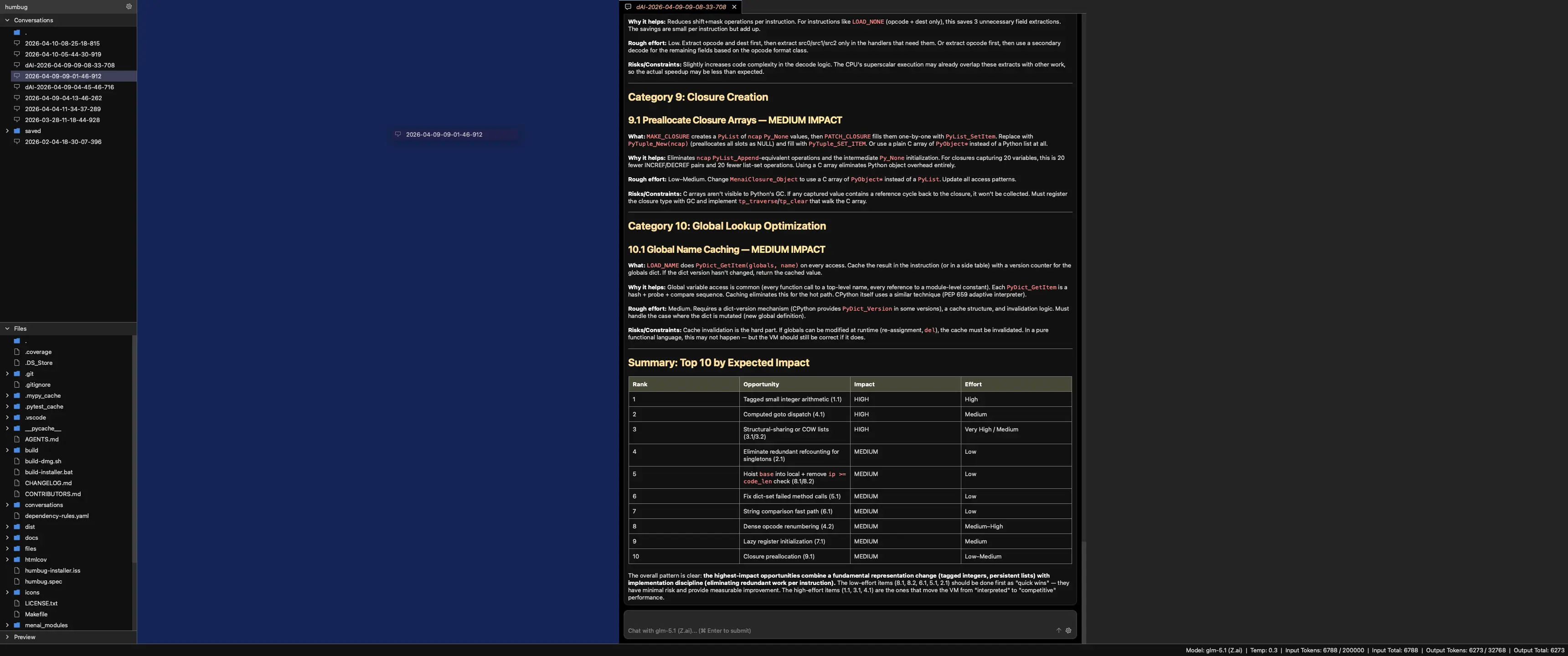
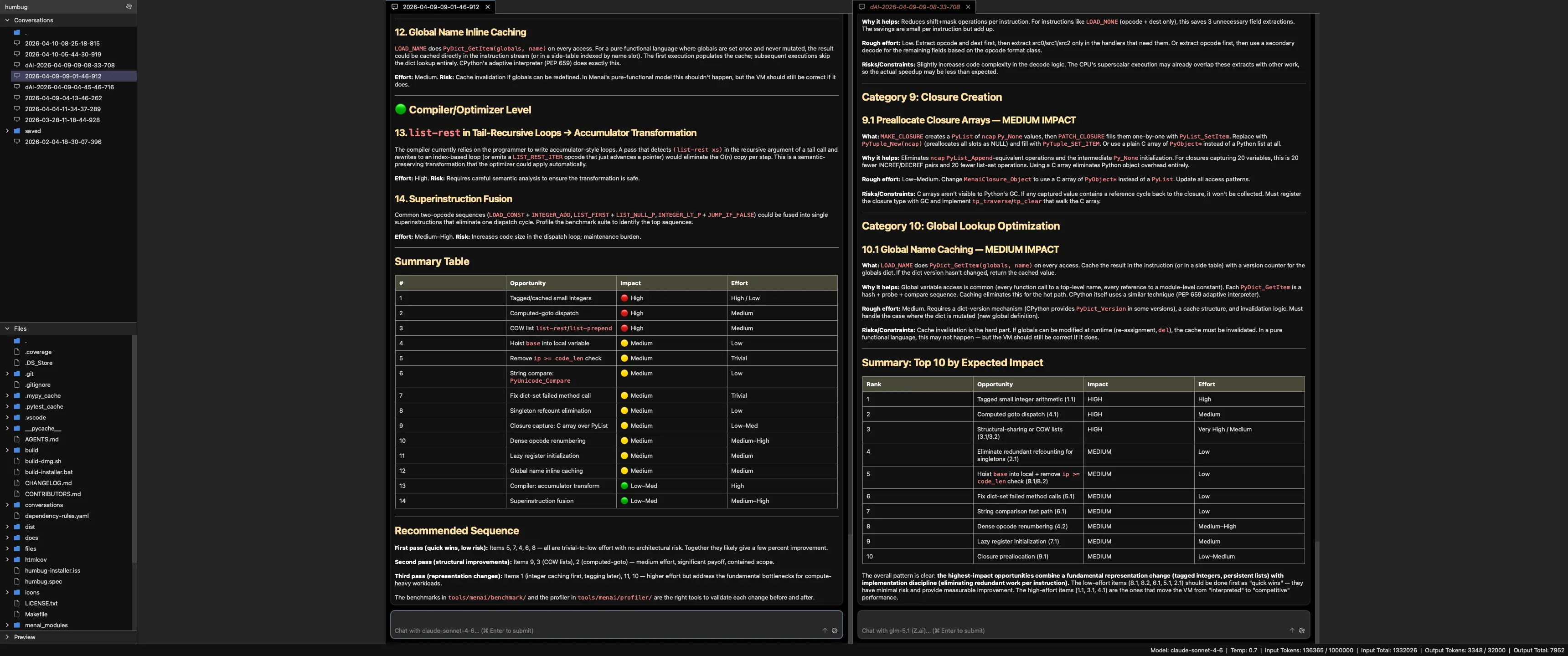
Thanks to Tharik, you can also now scroll the tab bar in a tab column using the mouse wheel. I've wanted this for months!
Colour scheme improvements
I always wanted Humbug to have an "automatic" option for the colour scheme. Last year's AI models didn't know Qt had added this in v6.5. Sonnet 4.6 does know it now, so now we have automatic as the new default unless you override it in the user settings or menu.
Gemma 4
Google recently released Gemma 4 as an open weights model, available via ollama.com. Humbug now supports it too.
Humbug v42
Humbug v42 is now out. Here's the change log.
New features:
- Added GLM 5.1 model support
- Added Gemma 4 model support
- Removed Claude Sonnet 4.5 model support (we have 4.6).
- Removed the Metaphor compiler and Metaphor conversations options. Spec-driven development activities can now be more effectively implemented by simply asking an AI to read one or more spec files from the mindspace filesystem.
- Removed the ability to open the system shell and mindspace log tabs from the system tool. These are tools specifically for a human (developer) to use.
- Removed the mindspace log AI tool. It wasn't ever used, and more often than not confused AI models.
- Added a requirement for AI delegation to get user approval.
- Colour themes can now be "Automatic" as well as "Light" and "Dark". Humbug will follow the system preference in automatic mode.
- Improved visuals for the welcome widget (colours, rounded corners, and vertical spacing).
- Added visual feedback and improved colours for drop targets.
- Improved column layouts, including preferred tab width and centering columns in the manager view.
- Most tab types now use a more narrow default view to make them easier to read.
- Gave all tabs a "nice" default size and keep content in the middle of the application to improve usability.
- Added an edit button to allow you to edit previous user messages.
- The submit shortcut is now Cmd+Enter or Ctrl+Enter rather than Cmd+J or Ctrl+J. This is more natural.
- The tab label bar can now be scrolled using a mouse wheel.
- Terminal tabs can now have a fixed width defined in the mindspace settings. If the terminal is too wide for the tab then it will gain a horizontal scrollbar. If it is too narrow then it will be centred.
- Added smooth scrolling during selection operations within terminal tabs.
- Added Menai native C VM implementation and removed the cython version.
- Added a new Menai benchmark performance test suite. Removed the old JSON parser test.
Bug fixes:
- Improved filesystem and editor tool descriptions to help avoid problems related to escaping.
- Fix problems with the Menai tool help.
- Fixed a problem where delegated conversations did not show the initial prompt.
- Fixed problem with child model handling during delegation.
- The default model for delegation is now the parent's model.
Internal structure changes:
- Refactored all scrollbar styling into a common location.