Humbug is a project that explores building a secure and reliable operating system for human/AI collaboration.
Traditional operating systems are designed to securely use and share hardware resources. The best ones attempt to protect users from buggy and malicious software. The weakest link in this security chain is the human user, who can be tricked into running unsafe software or leaking access to sensitive data.
The introduction of AI suddenly makes this a lot more complicated. Our default model of the last few decades was an unpredictable human interacting with what should be a predictable system. With AI participant our unpredictable human is suddenly dealing with an equally unpredictable AI too.
We need to rethink our approach to security, privacy, and trust.
Background
Humbug was started as a project to build tools that would let me explore and develop legacy codebases, but has since evolved into a more general purpose platform. "Traditional" operating systems I've worked on, or designed, were able to draw on significant research from the 70s, 80s, and 90s, but AI changes the game.
The blog post, "A path to an AI operating system" outlines some of my thoughts on why AI changes many long-standing assumptions.
Design philosophy
Humbug is designed to offer AIs a first class experience, while still catering to the needs of human users. The UI is designed to allow both humans and AIs to interact with it, allowing for a more collaborative experience. As a principle, anything major operation a human can do, an AI should be able to do something equivalent, giving AIs a way to make collaborative work a two way experience.
As current LLMs are still prone to making serious mistakes, Humbug is designed to operate with a human in the loop. Wherever potentially dangerous operations are performed, the human is consulted for approval, and the tool calling approvals cannot be bypassed.
For example, an AI may read a file, but cannot write to it without human approval. An AI may read a terminal window, but cannot type into it without human agreeing. As AI may edit a file in an editor window, but cannot save it without a human saying it's ok.
The Humbug way of working
Humbug is designed around the idea that AIs and humans need to work together to achieve complex goals. Part of this, however, is to recognise that AIs and humans have different strengths and weaknesses, but that this is really no different to human teams that have diverse strengths and weaknesses.
Humans are good at understanding context, driving goals, making high-level decisions, and providing creative input. AIs have incredible amounts of knowledge and an ability to process information and context orders of magnitude faster. AIs can synthesize contextual information and execute on it way faster than humans, so conversations are the focal point for collaboration.
Just like human teams, almost everything starts with a conversation. For example you can ask an AI to solve a problem but ask it to explain how it will solve it first. Review the plan, ask questions, make suggestions, and then let the AI get on with it at speeds no human can even start to emulate.
You don't step away from the process though. Almost any interesting problem will quickly lead to the AI either asking for your feedback, or for you to review and approve its work. You can explore options, ask for changes, ask for explanations, and move on to whatever comes next.
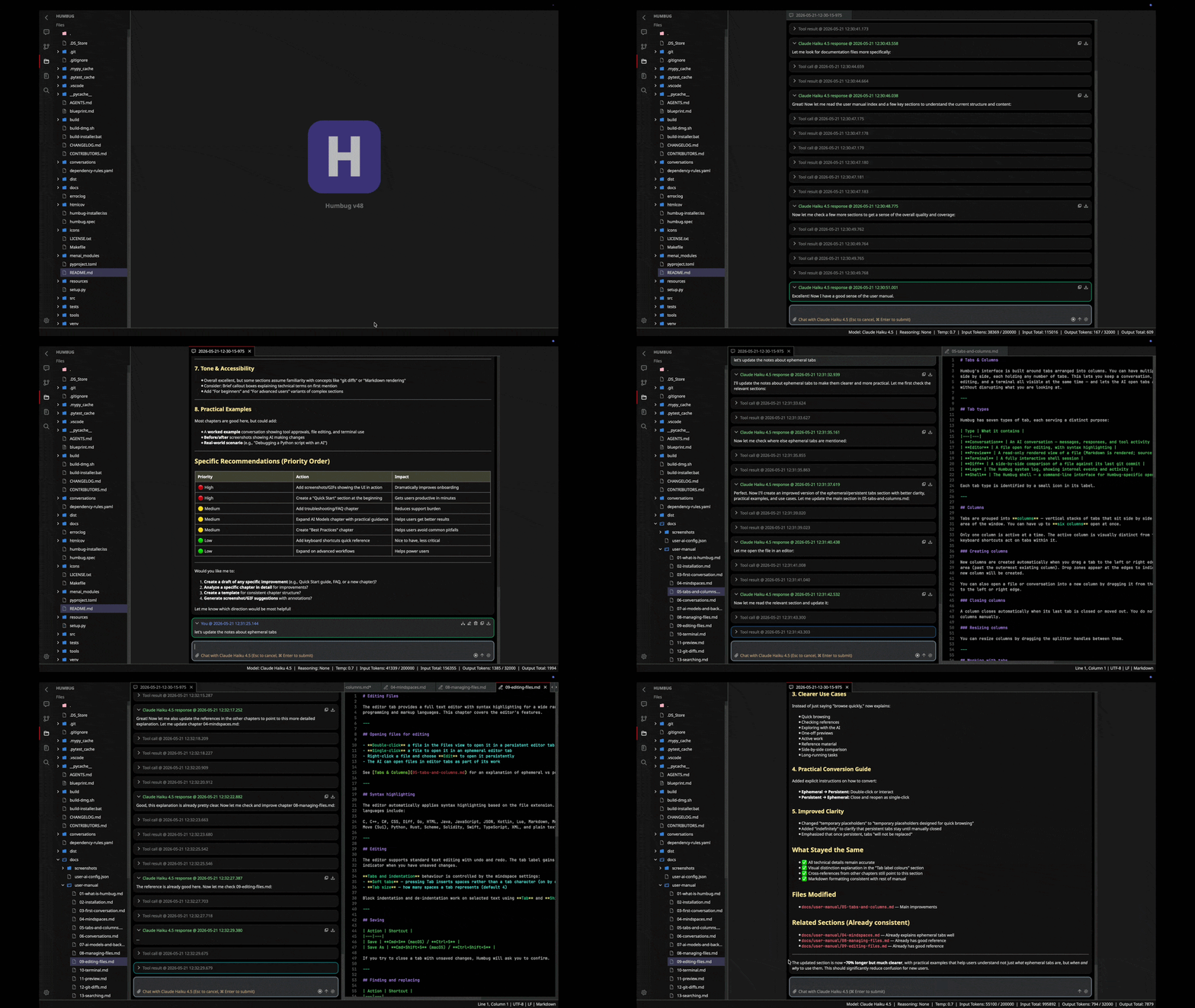
Humbug has been built using this same conversational approach. As of v38, some of the conversations that have helped shape its development are now available in the git repository.
Tool system
A key aspect of this type of system is the ability for the AI to make use of tools. Humbug's tool system is designed to provdide a range of orthogonal tools that can be combined to perform complex tasks. Tools are designed with composability in mind, allowing AIs to build complex workflows from simple building blocks.
A major expression of this concept is Menai. Menai is a pure, higher-order, functional programming language designed specifically for AIs to use to perform algorithmic tasks. As it is side-effect free, it is safe for an AI to use without human supervision.
The tool system has taken a pragmatic approach. Rather than trying to build a perfect system from the ground up, Humbug has been built iteratively. New tools have been added as needed to support specific use cases, many of which have related to building the next parts of Humbug itself. The aim is that new tools should demonstrably accelerate real problems. It also means that some tools have already come and gone, with newer and better tools superseding them.
Humbug's current tools are:
- Menai: For running Menai code
- Filesystem: For reading, writing, and searching files and directories
- Clock: For getting the time, setting alarms, and setting timers
- System: For interacting with the system UI tabs
- Delegate AI: For delegating tasks to child AIs
- Conversation: For interacting with conversational AIs in UI tabs
- Document converter: For converting between docx, Markdown, and HTML file formats
- Terminal: For interacting with terminal sessions in UI tabs
- Editor: For editing text files in UI tabs
- Preview: For previewing content in UI tabs
- Help: For provding detailed tool help to AIs
Notably, many of these are designed to let the AI share the UI with a human user. The AI can see what the human sees, and can control all the same things a human can control.
AI backends
AI models are emerging at an incredible rate. Humbug is designed to be able to make use of a variety of different AI backends, allowing users to choose the best model for their needs. Humbug currently supports the following AI backends:
- Anthropic: Support for Claude in all its variants
- Deepseek: Support for Deepseek models
- Google: Support for Gemini models
- Mistral AI: Support for Mistral models
- Ollama: Support for a open weight models
- OpenAI: Support ChatGPT models
- vLLM: Support for open weight models
- xAI: Support Grok models
- Zai: Support for GLM models
Project status
Humbug is under active development. At the time of writing this (2026-07-03), the current version is v52. The first version, v0.1 was released in January 2025. Releases happen every week or two.
One of the more interesting aspects of Humbug is that it is largely built using itself. New features are often prototyped by AI models inside Humbug, allowing both me and the AIs to dogfood the experience and identify issues early.
You can find the full change log on GitHub: CHANGELOG.md.
Menai
Humbug incorporates the Menai programming language. This is a pure functional language designed to allow AIs to safely implement new features.
More information
You can find out more about the project on GitHub: https://github.com/m6r-ai/humbug.
Join the discussion on GitHub: GitHub discussions.
This site also hosts more information in the blog area. You can also find design notes published since early August 2025 in the notes section.
Source code and binaries
The source code can be found on GitHub: https://github.com/m6r-ai/humbug
Binaries for MacOS, Windows, and Linux, can be found on the GitHub releases page: https://github.com/m6r-ai/humbug/releases.